FROM OUR PREVIEW TESTS
Tiny Desk AI preview tests: wrong seats and extra hands
A clear photo can still end up in the wrong seat. In our October 31 static preview tests, the same three reference photos produced two swapped roles. Changing the role instructions corrected their positions. A separate extra-hand problem needed changes to the scene image and pose instructions.
Selected static preview tests from October 31, 2026, using fictional, AI-generated people. These are historical comparisons, not a success-rate study or a test of the finished videos.
The photos stayed the same
The three-person tests used the reference identities below: the red hoodie on keys, the yellow sweater in the back-left seat and the navy cap in the back-right seat. None of these are customer photos.


1. Two people landed in each other's seats
The first output put the yellow sweater at the keyboard and the red hoodie in the back row. Both faces were visible in the source photos. For the revised instructions, we identified each original performer by appearance and position, then assigned a reference person to that specific performer.
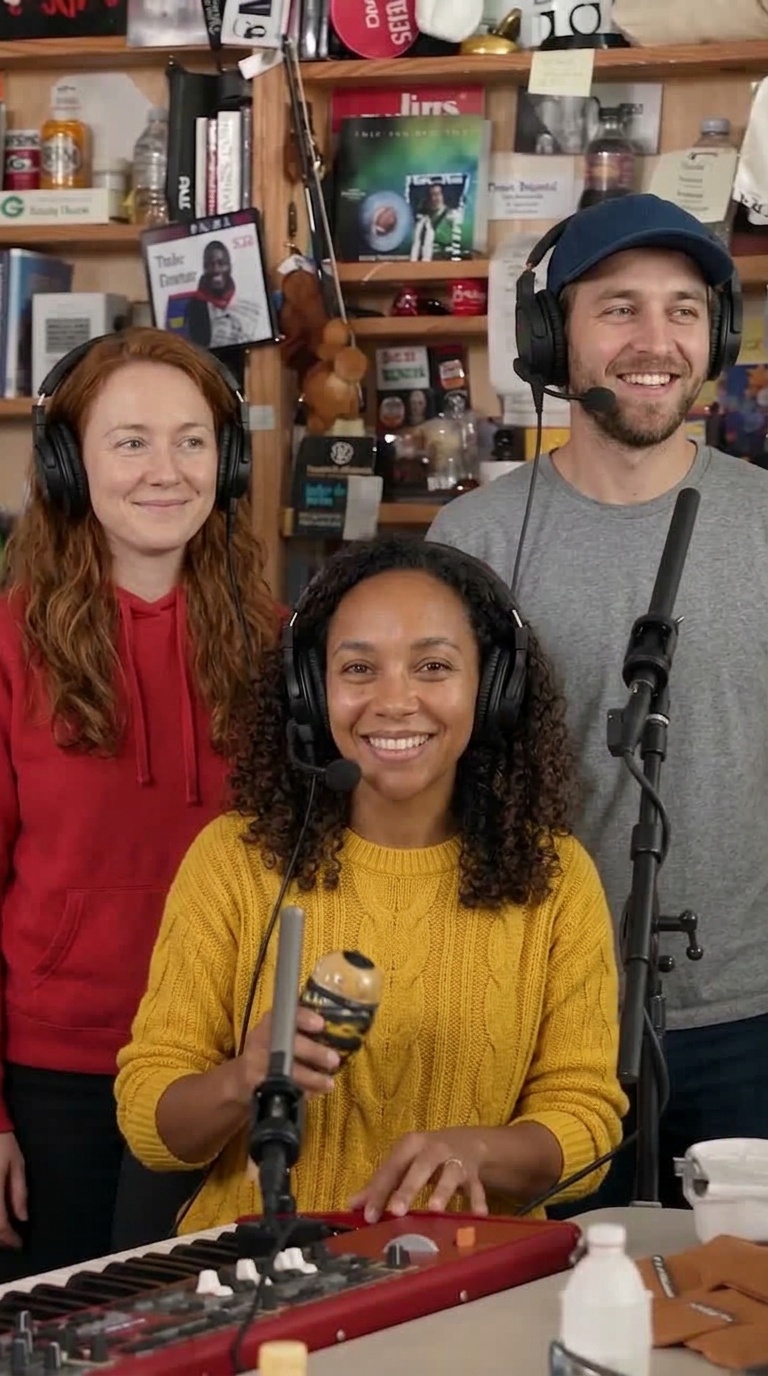
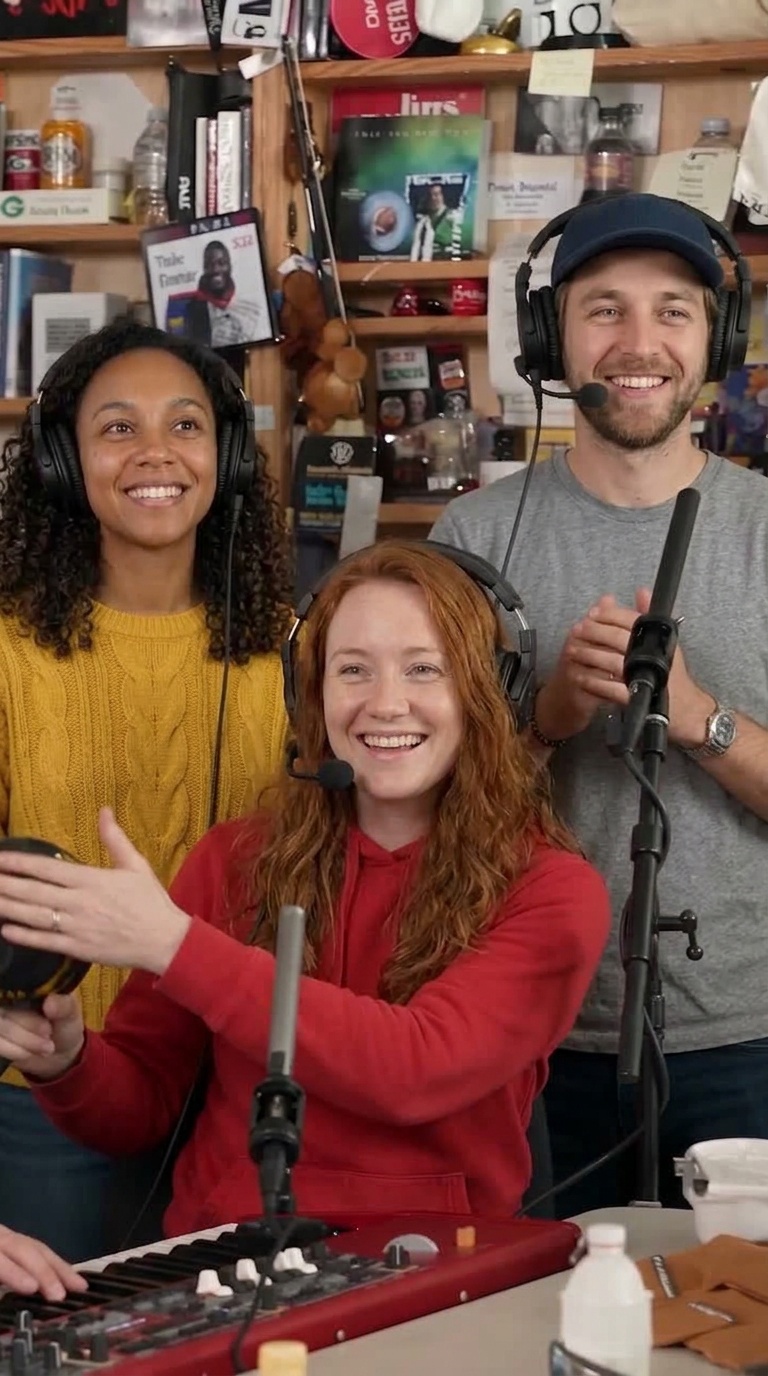
The revised output placed all three identities in their intended seats. It still changed the man's hand positions: his hands came together at chest level rather than matching the scene exactly. Correct seats did not mean every gesture was preserved.
2. The scene already contained a hand to copy
In another test, the person on keys had two hands on the keyboard, plus a leftover hand near its left edge. The original scene image contained an arm in that corner. A request to keep the hand at the keyboard's left edge did not remove the extra hand from the later test outputs.
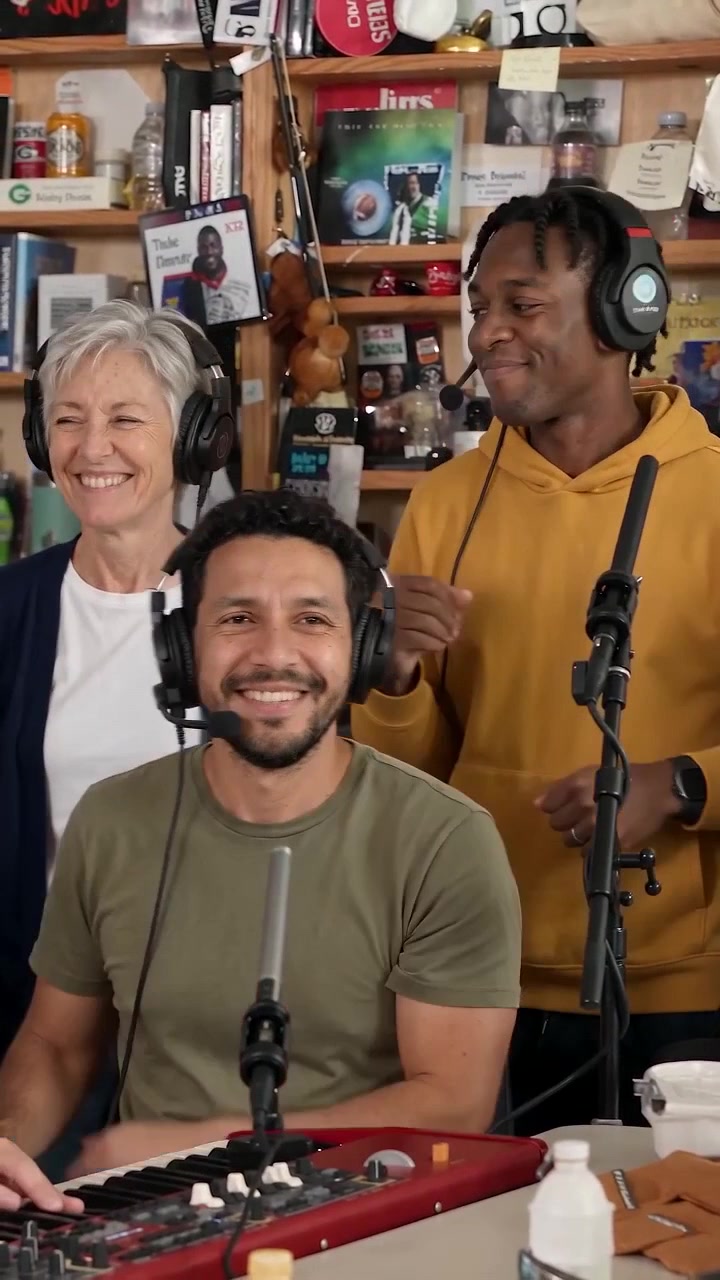
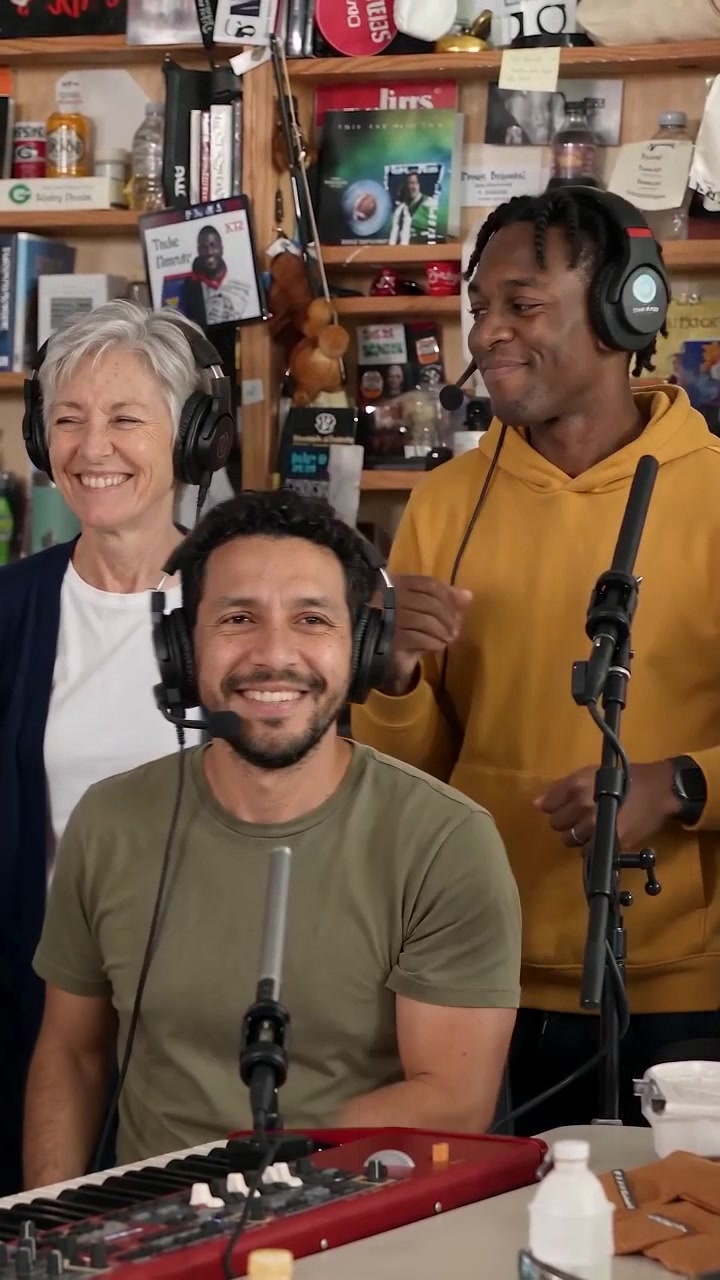
We edited that part of the scene and changed the pose instructions to put both hands on the keyboard. The next single-person preview no longer had the leftover hand. The red-hoodie reference photo had stayed the same.
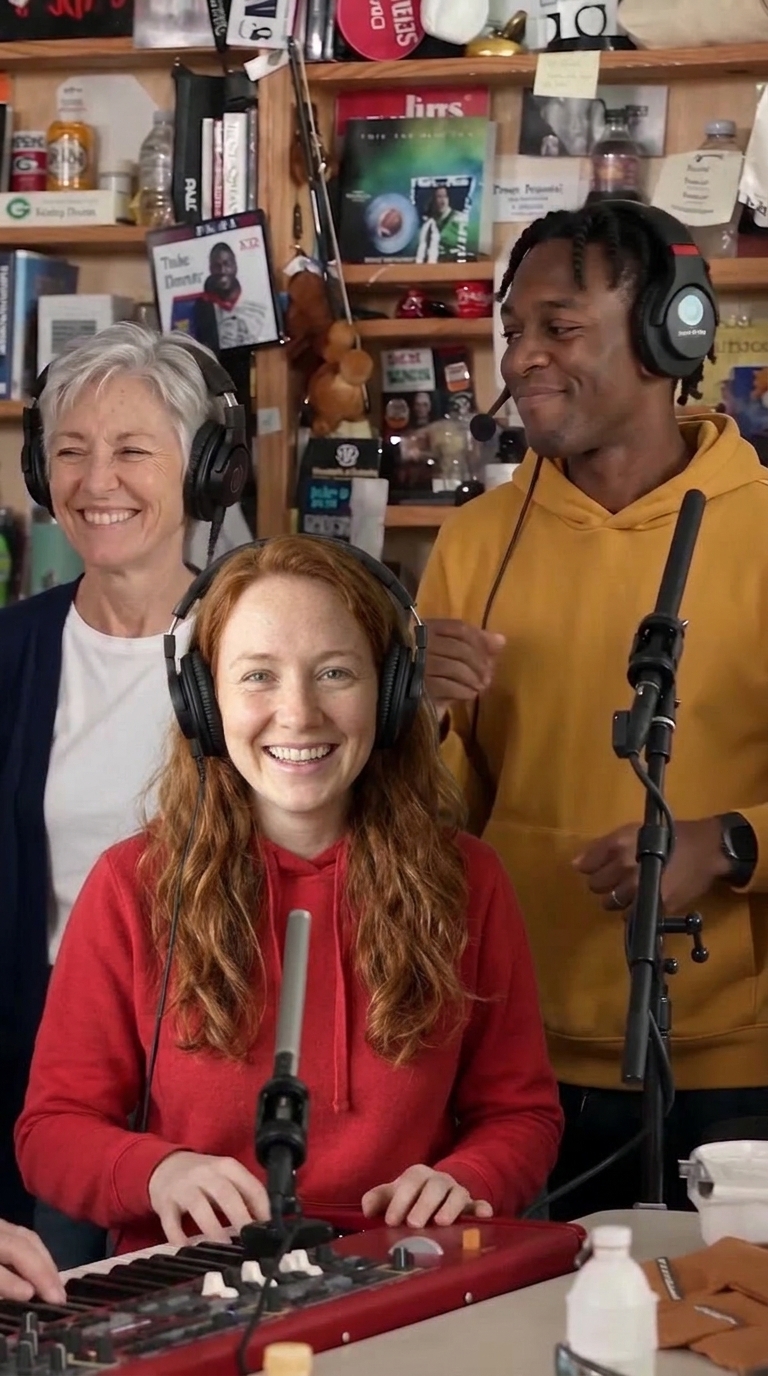
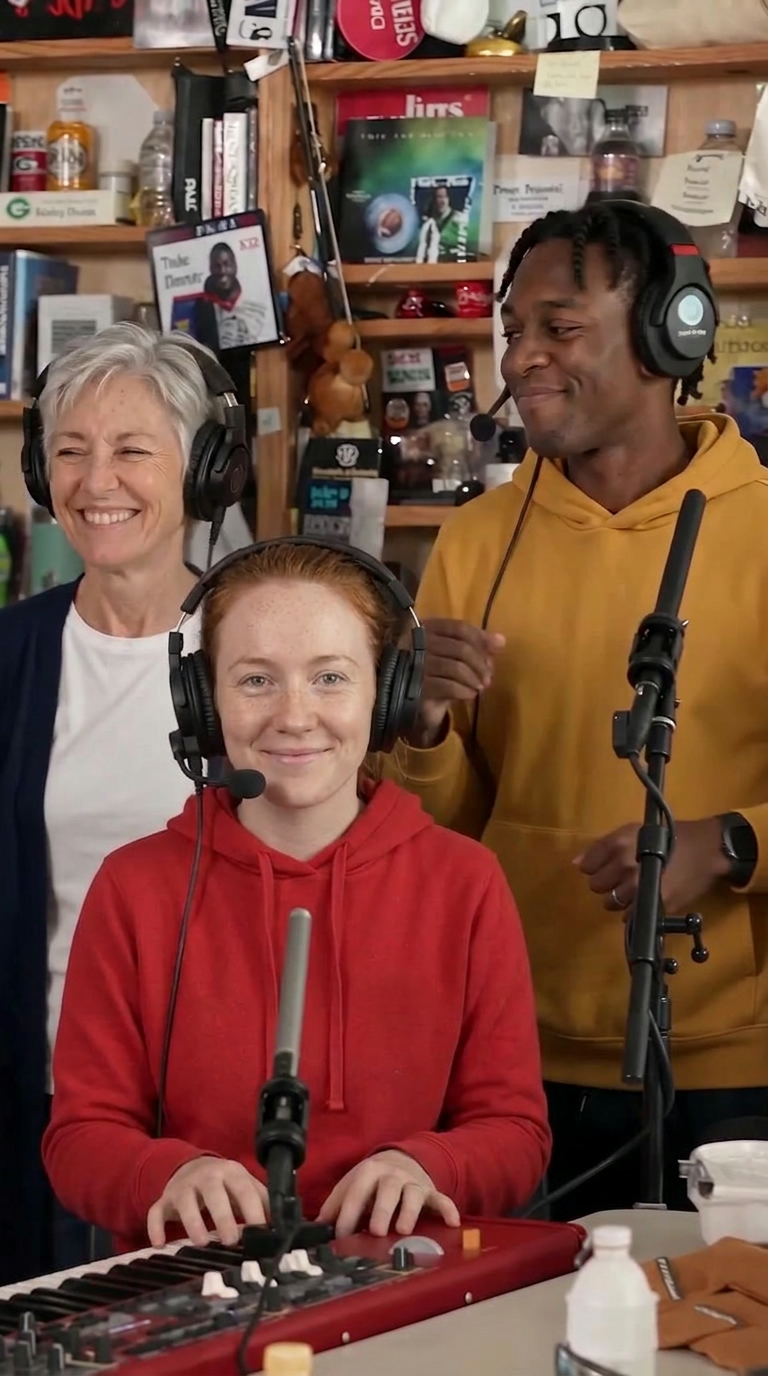
The hand comparisons show the lower part of each image. Tap any image to inspect the full original test file.
What to check before changing your photo
- Right face, wrong seat: check the role you assigned first. Our role test corrected the positions without replacing the reference photos.
- Extra hands or odd poses: inspect the whole scene. In this example, an existing arm in the scene was part of the problem.
- A face that looks different: check sharpness, lighting and whether the face is visible. These tests do not establish a fix for every likeness problem.
If the seat assignments are right but the output mixes people up, send a screenshot and the intended roles to support@tinydeskai.video. The photo and upload guide covers the usual input checks.
How we ran and reviewed these tests
The role comparison comes from four static variants made with Nano Banana 2 through fal.ai on October 31. The scene and hand comparisons used Nano Banana 2 through Kie AI that same day. The edited scene started from frame 62 of a 24 fps band clip, about 2.58 seconds into the shot.
We reviewed the outputs visually for identity, seat assignment and hand position. The images linked here are copies of the archived test files. Several scene and pose instructions changed together; these runs do not isolate one cause or measure how reliably a fix works. The pairs above are selected examples, not the complete set of outputs.
Today's free opening-scene preview covers keys and the two backup singers. It cannot demonstrate the lead singer, sax solo, singing or motion across the full video. The template guide shows where those roles appear.
Questions about these preview tests
Will a clearer photo fix every Tiny Desk AI preview?
A clear photo helps, but these tests show other sources of errors. The same reference photos landed in different seats when the role instructions changed. An extra hand also remained until we edited the scene image and adjusted the pose instructions.
Do these results measure the quality of the full video?
No. These are selected static preview experiments from October 31, 2026. They do not test singing, lip sync or identity across moving shots. The full video is generated separately and may differ from the preview.
What should I do if a preview puts someone in the wrong seat?
First check that you uploaded each photo to the intended role. If the assignments are correct but the preview swaps people, contact support with a screenshot and the intended roles. A screenshot helps us distinguish a seat mix-up from a face that simply looks different.
Make your own Outstanding Tiny Desk video
about 18 s · the viral cuts from the band shot on · song + silent copy · 9:16 · $9.99 · see pricing
Upload a photoTinyDeskAI is an independent fan tool for parody videos. It is not affiliated with, endorsed by or connected to NPR, NPR Music's Tiny Desk Concerts, Charlie Wilson, The Gap Band, or any team, school or league. "Tiny Desk" is a trademark of NPR.